
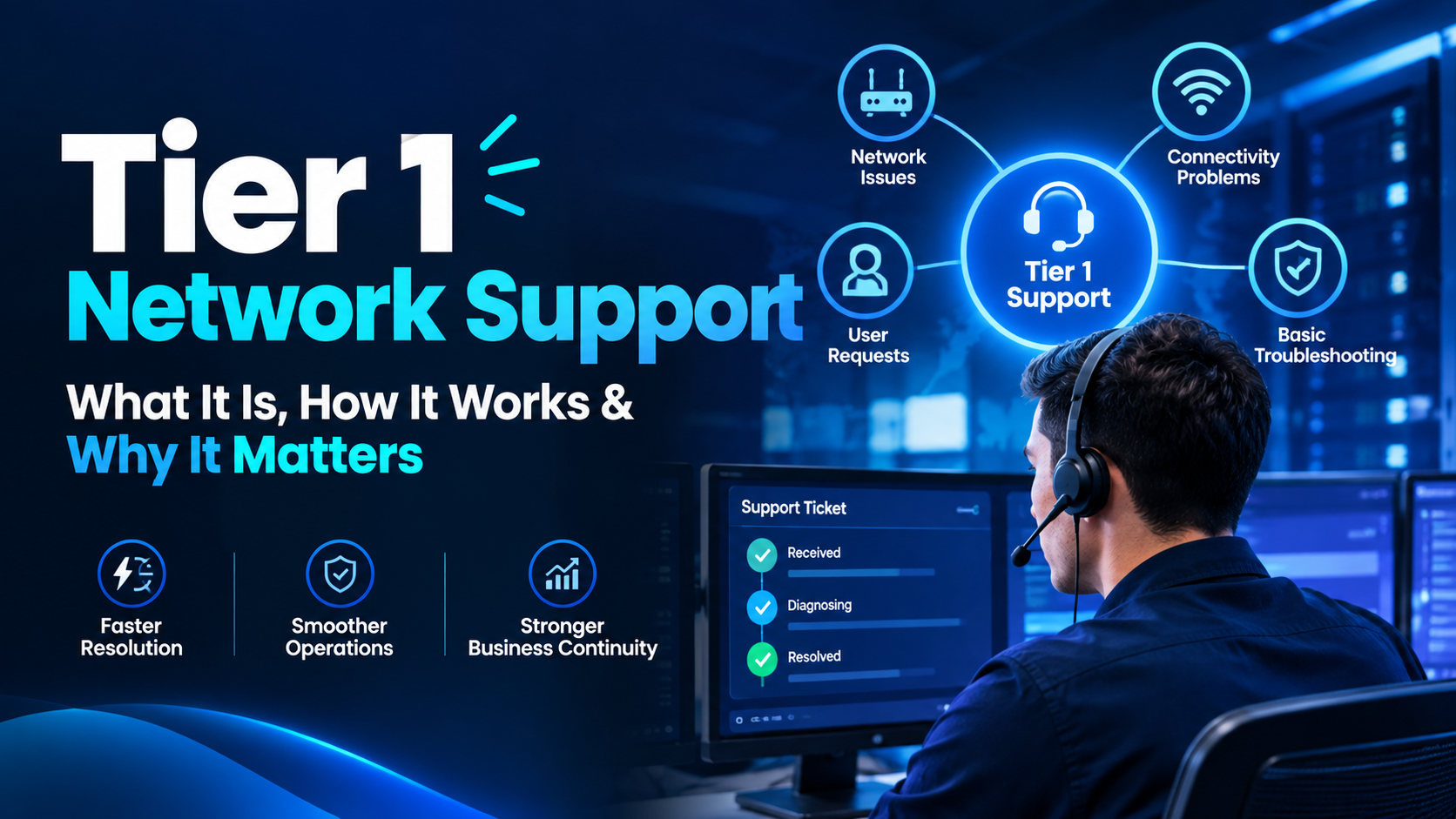
Have you ever wondered who acts as the primary shield between your business operations and technical chaos? When connectivity issues strike, the speed of your response determines your productivity.
Tier 1 network support serves as the essential frontline defense for any organization. This team is responsible for receiving, assessing, and resolving common connectivity problems before they escalate into major outages.
By mastering these initial interactions, companies ensure faster troubleshooting and maintain reliable systems for their staff. This guide explores the core responsibilities, effective methods, and security coordination required to excel in this role.
We will also examine how choosing the right provider impacts your overall service quality. Understanding these fundamentals is the first step toward building a resilient digital infrastructure.
Key Takeaways
- Frontline teams act as the first point of contact for all connectivity issues.
- Rapid assessment prevents minor glitches from becoming expensive downtime.
- Effective escalation practices ensure complex problems reach the right experts quickly.
- Security coordination is a vital component of modern technical assistance.
- Selecting the right service partner directly influences your operational efficiency.
What Tier 1 Network Support Means for Your Organization
When connectivity issues arise, tier 1 network support serves as the first line of defense for your business infrastructure. This team acts as the primary operational point of contact for employees facing access problems or service interruptions. By managing the initial intake of incidents, they ensure that your technical staff can focus on high-level tasks.
The frontline role of tier 1 network support
The primary goal of this group is to provide immediate assistance and restore services as quickly as possible. They follow standardized procedures to diagnose common issues, such as password resets or basic hardware connectivity errors. This proactive approach helps maintain high levels of employee productivity across your organization.
“The quality of your IT support services directly correlates to the speed at which your organization can recover from minor technical disruptions.”
How tier 1 differs from tier 2 and tier 3 support
It is important to distinguish between the various levels of technical expertise within your organization. While tier 1 focuses on standardized troubleshooting and initial diagnosis, higher tiers handle complex architectural problems. The following table highlights these key differences in responsibility and scope.
| Support Level | Primary Focus | Resolution Scope |
|---|---|---|
| Tier 1 | Initial Intake | Basic Connectivity |
| Tier 2 | Advanced Diagnosis | System Configuration |
| Tier 3 | Expert Engineering | Infrastructure Design |
Where tier 1 fits within IT support services
Within the broader landscape of it support services, tier 1 acts as the gatekeeper for your network health. They filter incoming requests to ensure that only complex issues reach specialized engineers. This structure prevents your senior staff from being overwhelmed by routine tasks that can be resolved through simple documentation.
End-user assistance, monitoring, and incident intake
Your support team is responsible for constant monitoring of network performance metrics. By identifying anomalies early, they can often resolve problems before users even report them. This incident intake process is vital for maintaining a stable and reliable digital environment.
When specialized network engineering becomes necessary
Escalation occurs when a problem falls outside the scope of established runbooks or requires deep system changes. When tier 1 network support identifies a critical failure or a security threat, they pass the incident to specialized engineers. This handoff ensures that your most complex network challenges receive the expert attention they require to protect your business assets.
Tier 1 Network Support: Core Responsibilities and Service Scope
Effective enterprise network support begins with a clear definition of responsibilities and service boundaries. This foundational layer acts as the primary interface between your users and the complex technical infrastructure that keeps your business running.
Handling connectivity and access requests
The primary goal of tier 1 network support is to restore service quickly when users face connectivity hurdles. Teams manage requests ranging from simple password resets for VPN access to troubleshooting localized hardware failures.
They prioritize requests based on the user’s actual business need and the urgency of the situation. By acting as the first line of defense, they ensure that minor access issues do not escalate into major operational bottlenecks.
Validating network symptoms before troubleshooting
Before jumping into technical fixes, support staff must validate the reported symptoms. This involves confirming the specific nature of the problem, such as whether the issue is intermittent or a total loss of service.
Technicians verify if the problem is isolated to a single device or if it affects an entire department. This validation phase prevents wasted effort and ensures that the correct diagnostic path is followed from the start.
Documenting incidents, service requests, and user impact
Accurate documentation is a cornerstone of professional IT service management. Every ticket must capture critical details, including the user’s location, the specific device involved, and the exact time the issue began.
Staff must also record any initial troubleshooting steps already attempted by the user. This comprehensive data collection allows for faster resolution and provides a clear audit trail for future reference.
Supporting wired, wireless, remote, and branch connectivity
The scope of support extends across diverse environments, including office LANs, Wi-Fi networks, and remote access solutions. Whether a user is working from a branch office or a home setup, the support team provides consistent guidance.
Common responsibilities in enterprise network support
- Monitoring network performance dashboards for real-time alerts.
- Performing basic physical layer checks on cables and power supplies.
- Assisting with VPN configuration and authentication troubleshooting.
- Managing user access rights to internal applications and shared resources.
Tasks that require escalation to senior specialists
Not every issue can be resolved at the first level. When a problem involves complex routing changes, core switch failures, or suspected security breaches, the team must escalate the ticket.
Escalation ensures that senior engineers receive all necessary diagnostic data to address high-level infrastructure risks. This hand-off process maintains service continuity while protecting the integrity of the broader network environment.
How Tier 1 Network Support Works From Ticket to Resolution
Managing network incidents requires a disciplined approach that begins the moment a ticket enters your system. A structured workflow ensures that every issue is handled with consistency and speed. By following a clear path, tier 1 network support teams can maintain high service standards across the entire organization.
Receiving and categorizing the network issue
The process starts when a user submits a request via email, phone, or a self-service portal. Support staff must immediately categorize the ticket based on the nature of the problem. Proper classification allows the system to route the request to the right resources and apply the correct service level agreements.
Confirming the user, device, location, and business impact
Before jumping into technical fixes, you must verify the specific details of the incident. Confirming the user identity, the affected device, and the physical location helps you understand the scope of the problem. This step is vital because it allows you to prioritize critical business functions over minor individual issues.
Following diagnostic procedures and approved runbooks
Once the impact is clear, technicians follow standardized runbooks to diagnose the root cause. These documents provide step-by-step instructions for common network errors. Using approved procedures ensures that troubleshooting is repeatable and reduces the risk of human error.
Restoring service or escalating with complete evidence
The goal of tier 1 network support is to restore service as quickly as possible. If the issue falls outside the scope of initial troubleshooting, the technician must escalate the ticket. A successful escalation requires a complete evidence package to ensure the next team can take over without delay.
What a useful escalation package should contain
An effective escalation package includes the original user report and a summary of all steps taken so far. You should attach relevant logs, screenshots of error messages, and details about the affected hardware. Providing this data prevents the next support tier from repeating work you have already completed.
How ticket updates keep users and technical teams aligned
Consistent communication is the backbone of a healthy support environment. You must provide regular updates to the user so they know their issue is being addressed. Keeping the ticket record updated also ensures that technical teams remain aligned on the status and history of the incident.
Network Problems Tier 1 Support Can Resolve
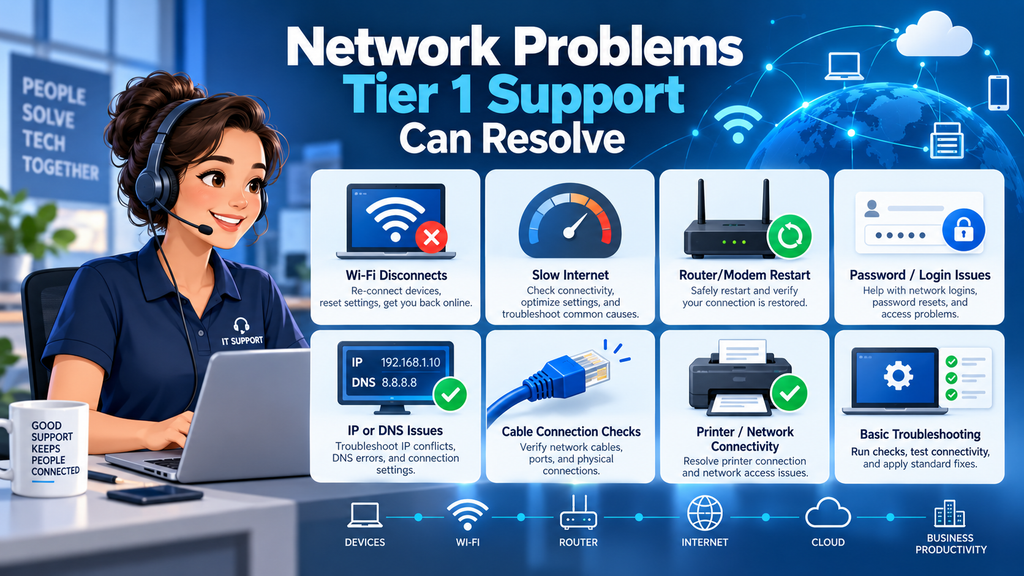
Understanding the scope of Tier 1 support is essential for maintaining a healthy and responsive IT environment. By mastering how to troubleshoot network issues at this level, your organization can significantly reduce downtime and improve overall user satisfaction.
Internet, intranet, and application connectivity failures
Frontline technicians are equipped to handle common connectivity blocks that prevent users from reaching essential resources. This includes verifying if a local gateway is reachable or if a specific internal server is responding to basic requests.
Wi-Fi authentication, signal, and performance problems
Wireless issues often stem from simple authentication errors or signal interference. Tier 1 staff can reset credentials, verify SSID configurations, and check for physical obstructions that might degrade signal quality.
VPN connection and remote-access issues
Remote workers frequently encounter VPN drops or login failures. Technicians resolve these by checking client software versions, verifying internet reachability, and ensuring that user accounts have the correct permissions for remote access.
Slow network performance and intermittent connections
When users report sluggish speeds, the support team investigates potential bandwidth hogs or local congestion. They look for patterns in the connection to determine if the slowness is constant or happens only during specific times of the day.
Basic DNS, DHCP, IP address, and cable-related errors
Many network problems are caused by simple configuration mistakes or physical damage. Technicians check for IP address conflicts, verify that DHCP scopes are not exhausted, and ensure that Ethernet cables are securely plugged into the correct ports.
Separating a device problem from a broader network outage
A critical skill for any technician is knowing how to troubleshoot network issues by identifying the scope of the problem. If only one user is affected, the issue is likely isolated to their specific device or local hardware. If multiple users in a department or building report the same error, the team must escalate the incident as a potential broader network outage.
“The strength of an IT department is often measured by the efficiency of its frontline support, as they are the first to identify and address the most common technical hurdles.”
| Issue Type | Common Symptom | Tier 1 Action |
|---|---|---|
| Wi-Fi | Authentication failure | Reset credentials |
| Connectivity | No internet access | Check gateway/cables |
| Performance | Slow application load | Verify bandwidth usage |
| Addressing | IP conflict | Release/Renew IP |
By following these standardized procedures, your team ensures that minor glitches do not escalate into major business disruptions. Consistent documentation of these resolutions helps refine the process for how to troubleshoot network issues across the entire organization.
How to Troubleshoot Network Issues at Tier 1
Effective tier 1 network support relies on a repeatable process to isolate and resolve connectivity issues quickly. By following a standardized sequence, you can minimize downtime and ensure that every ticket receives a consistent level of care. Learning how to troubleshoot network issues efficiently is a vital skill for any IT professional.
Start with user symptoms and incident scope
Always begin by gathering clear details from the user regarding the specific problem. Ask open-ended questions to determine if the issue is intermittent or constant. Documenting the exact symptoms helps you narrow down the potential causes before you start testing.
Check physical connections, power, and link indicators
Before diving into software settings, verify the physical layer of the network. Ensure that all cables are securely plugged into the correct ports and that devices have active power. Check for link lights on network switches or network interface cards to confirm a physical signal exists.
Verify IP configuration and network reachability
Once physical connectivity is confirmed, check the logical configuration of the device. Verify that the computer has a valid IP address and the correct subnet mask. Use basic connectivity tests to see if the device can reach its local gateway or other internal resources.
Test DNS resolution, gateway access, and application availability
If the device has an IP address, test the Domain Name System (DNS) to ensure it can resolve web addresses. Confirm that the default gateway is reachable to rule out routing problems. Finally, check if the specific application or service is actually running and accessible to the user.
Compare affected users, devices, locations, and time periods
Look for patterns by comparing the current incident against others in your system. Determine if the problem is isolated to one user or if it affects an entire department or branch office. Identifying a wider scope is essential for determining if you are dealing with a localized glitch or a major infrastructure outage.
Useful commands for basic diagnosis
You should master a few essential command-line tools to speed up your workflow. Use ping to test basic reachability and ipconfig or ifconfig to view current network settings. Additionally, nslookup is a powerful tool for verifying that your DNS servers are responding correctly.
When repeated tests indicate a larger incident
If your initial tests show consistent failures across multiple devices, you must escalate the ticket immediately. Providing tier 1 network support requires knowing when a problem exceeds your current scope or access level. Always include your documented test results when passing the incident to senior engineers to ensure a faster resolution.
Tools, Runbooks, and Metrics That Support Effective Tier 1 Service
Your ability to deliver consistent it support services depends heavily on the tools and data you track. By centralizing your operations, you ensure that every technician follows the same high standards when addressing network challenges.
Ticketing and IT service management platforms
A robust ticketing system acts as the central nervous system for your help desk. It captures every request, assigns priority, and tracks the history of each incident to prevent information silos.
Network monitoring and alerting dashboards
Real-time visibility is essential for proactive management. Dashboards provide immediate insight into device health, bandwidth usage, and latency, allowing your team to identify problems before users even report them.
Knowledge bases, scripts, and standardized runbooks
Consistency is the hallmark of professional managed network services. By maintaining a library of scripts and step-by-step runbooks, you empower your staff to resolve common issues quickly without needing to reinvent the wheel.
Communication tools for outage coordination
When a major incident occurs, clear communication is vital. Integrated chat platforms and automated notification systems keep stakeholders informed and ensure that your team remains aligned during high-pressure situations.
First-contact resolution and mean time to resolution
These two metrics are the primary indicators of your team’s efficiency. First-contact resolution measures how often you solve a problem during the initial interaction, while mean time to resolution tracks the speed of your recovery efforts.
Service-level agreements, backlog, and escalation rates
Monitoring these KPIs helps you maintain the quality of your it support services. The following table outlines how these metrics influence your operational strategy:
| Metric | Purpose | Strategic Value |
|---|---|---|
| SLA Compliance | Meets contractual promises | Ensures client trust |
| Backlog Volume | Tracks pending tasks | Prevents resource burnout |
| Escalation Rate | Measures complexity | Identifies training gaps |
By analyzing these data points, you can refine your managed network services to better meet the evolving needs of your organization. Consistent measurement turns raw data into actionable insights for continuous improvement.
When Tier 1 Support Should Escalate a Network Incident
Effective incident management relies on recognizing the precise moment a problem exceeds your current scope. While tier 1 network support teams handle many common requests, certain situations require immediate intervention from senior engineers to maintain operational stability.
Escalating outages that affect multiple users or sites
When a network issue impacts an entire department or multiple branch locations, it is no longer a standard user request. These widespread outages require a coordinated response to prevent significant downtime. You must escalate these events immediately to ensure that global network support teams can investigate the root cause across the enterprise.
Recognizing security indicators and suspicious activity
Security is a top priority for any organization. If you notice unusual traffic patterns, unauthorized access attempts, or signs of malware, you must trigger an escalation. Integrating network and security solutions into your workflow helps protect the company from potential data breaches or system compromises.
Identifying changes, equipment failures, and configuration risks
Sometimes, a problem stems from recent hardware changes or failing infrastructure. If you identify that a core switch is overheating or a recent configuration update caused a service disruption, do not attempt to fix it alone. Escalating these risks allows specialized engineers to address the underlying hardware or software issues safely.
Providing actionable details to tier 2, tier 3, or network engineers
Your ability to provide clear, documented evidence is vital for a smooth handoff. Always include logs, error messages, and the steps you have already taken to troubleshoot the issue. This information allows senior teams to resolve problems faster and more effectively.
Business impact, urgency, and priority classifications
Every ticket should be classified based on its effect on business operations. High-priority incidents that stop revenue-generating activities must be escalated regardless of the technical complexity. This ensures that your tier 1 network support staff focuses on the most critical tasks while experts handle complex infrastructure repairs.
Why escalation is a control, not a failure
Many technicians view escalation as a sign of incompetence, but it is actually a strategic operational control. By moving complex issues to the right team, you prevent unnecessary delays and protect the integrity of your network and security solutions. Proper escalation is a hallmark of professional global network support.
| Incident Type | Escalation Trigger | Priority Level |
|---|---|---|
| Single User Connectivity | Standard Troubleshooting | Low |
| Department-wide Outage | Immediate Escalation | Critical |
| Suspicious Security Activity | Immediate Escalation | Urgent |
| Hardware Failure | Immediate Escalation | High |
How Tier 1 Network Support Strengthens Network and Security Solutions
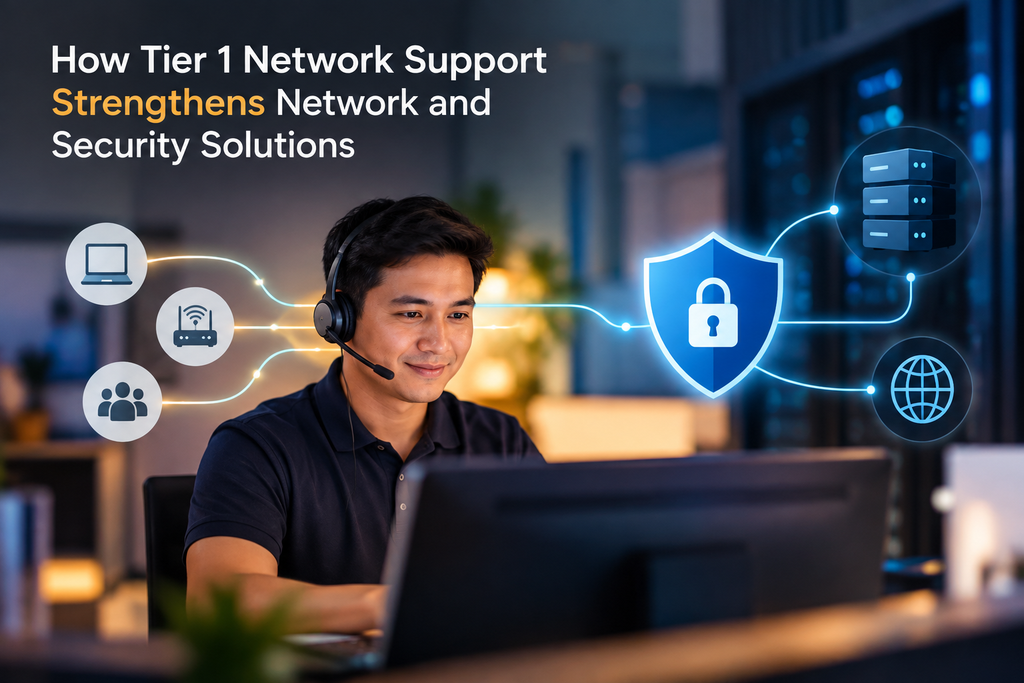
Integrating security awareness into daily support tasks transforms your help desk into a proactive asset. By training your staff to view every ticket through a security lens, you ensure that your network and security solutions remain robust against evolving threats. This approach turns routine troubleshooting into a vital layer of your organizational defense strategy.
Applying access, authentication, and endpoint procedures
Your support team acts as the gatekeeper for user access. They must strictly follow identity verification protocols before resetting passwords or granting system permissions. By enforcing multi-factor authentication and verifying endpoint compliance, they prevent unauthorized users from gaining a foothold in your environment.
Recognizing phishing, malware, and unauthorized-access warning signs
Frontline staff are often the first to notice anomalies that indicate a security breach. They should be trained to identify common red flags, such as:
- Unexpected system behavior or slow performance that may indicate malware.
- Users reporting suspicious emails or phishing attempts.
- Unusual login times or access requests from unrecognized locations.
- Unauthorized hardware connected to the corporate network.
Supporting secure VPN, firewall, and remote-work practices
Remote work environments require diligent oversight to maintain a secure perimeter. Your tier 1 network support team plays a critical role in ensuring that VPN connections are established correctly and that firewall policies are not bypassed for convenience. They provide the necessary guidance to help employees follow secure remote-access habits without compromising productivity.
Maintaining accurate records for audits and incident response
Detailed documentation is essential for both compliance and future threat analysis. Every interaction must be logged with precise timestamps, actions taken, and the identity of the user involved. These records provide the evidence needed for security audits and help your team reconstruct events during an incident response process.
Balancing rapid restoration with security controls
There is often a tension between getting a user back online quickly and adhering to strict security policies. Your team must learn to prioritize security without causing unnecessary delays. Strong security controls should never be treated as optional, even when pressure to restore service is high.
Coordinating with security operations teams
Effective communication between support and security operations is vital for a healthy infrastructure. When a potential threat is identified, your staff must follow a clear escalation path to notify security experts immediately. This collaboration ensures that your network and security solutions are supported by a unified team that acts quickly to mitigate risks.
Benefits of Tier 1 Support for Enterprise and Global Network Operations
Enterprise network support serves as the backbone for maintaining high availability across complex digital infrastructures. By establishing a strong frontline presence, your organization can effectively manage the influx of daily technical requests while keeping core systems stable.
Reducing downtime through faster first response
A rapid initial response is critical to minimizing the impact of network disruptions. When your team addresses connectivity issues immediately, you prevent minor glitches from escalating into full-scale outages that halt business operations.
Faster resolution times ensure that your network remains resilient. This proactive approach allows your engineers to focus on complex architecture rather than repetitive troubleshooting tasks.
Improving employee productivity and user confidence
When employees experience reliable network performance, their daily output increases significantly. Quick assistance during technical hurdles builds user confidence, as staff members feel supported and capable of completing their tasks without unnecessary delays.
Consistent service delivery removes the frustration associated with downtime. This stability fosters a positive work environment where technology acts as an enabler rather than a barrier.
Creating consistent support across locations and time zones
Maintaining a uniform standard of service is difficult when your operations span multiple regions. By implementing standardized procedures, you ensure that every office receives the same level of care regardless of their geographic location.
This consistency helps bridge the gap between different time zones. Your users receive timely help whenever they need it, ensuring that global network support remains effective around the clock.
Scaling service delivery with managed network services
As your business grows, the demand for IT resources often outpaces internal capacity. Utilizing managed network services allows you to scale your support capabilities without the overhead of hiring and training large in-house teams.
How global network support improves coverage
Global network support provides a comprehensive safety net for your distributed assets. By leveraging external expertise, you gain access to specialized tools and round-the-clock monitoring that keep your infrastructure running smoothly across continents.
How centralized processes support regional teams
Centralized processes act as a blueprint for your regional staff to follow. These standardized workflows reduce ambiguity and ensure that every incident is documented and resolved using proven best practices.
| Support Model | Scalability | Consistency | Cost Efficiency |
|---|---|---|---|
| In-House Tier 1 | Low | Variable | High Overhead |
| Managed Network Services | High | High | Optimized |
| Hybrid Support | Medium | Moderate | Balanced |
How to Evaluate Tier 1 Network Support Providers
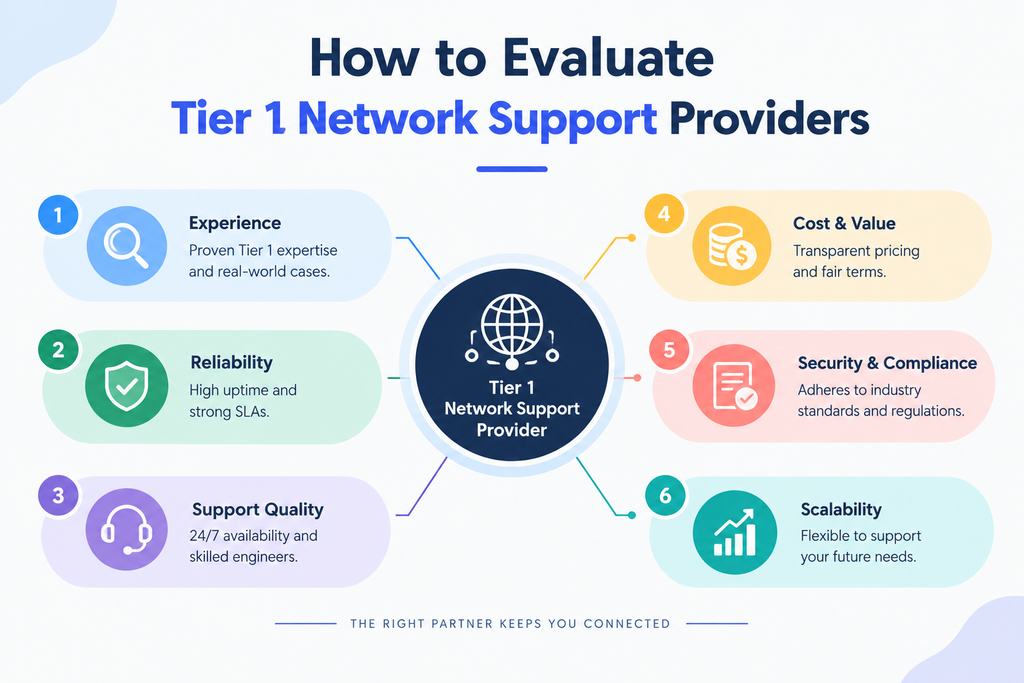
Selecting the right partner for your network operations is a critical decision that impacts your entire business infrastructure. Whether you are looking for local assistance or enterprise network support, the provider you choose will serve as the first line of defense for your digital environment.
Assessing coverage, availability, and response commitments
Your business needs a partner that aligns with your operational hours. Evaluate whether the provider offers 24/7 coverage or if they only support standard business hours. Clear response time commitments are essential to ensure that your team is never left waiting during a critical outage.
Reviewing technical processes, escalation paths, and documentation
A mature provider should have standardized runbooks for every common issue. Ask to see their escalation matrix to understand how quickly a ticket moves from a technician to a senior engineer. Comprehensive documentation ensures that your team maintains visibility into every incident resolved on your behalf.
Checking compatibility with your network, security, and IT tools
Integration is key to seamless it support services. Ensure the provider can work within your existing ticketing systems and monitoring dashboards. If they cannot integrate with your current stack, you risk creating data silos that hinder troubleshooting efficiency.
Comparing in-house, outsourced, and managed support models
Choosing between internal teams and external partners depends on your scale and budget. Managed network services often provide the best balance of cost and expertise for growing organizations. The following table highlights the core differences between these models:
| Model | Cost Structure | Control Level | Scalability |
|---|---|---|---|
| In-House | High Fixed | Full | Low |
| Outsourced | Variable | Moderate | High |
| Managed | Predictable | Shared | Very High |
Questions about service-level agreements and reporting
Always ask how the provider measures success. You should require detailed monthly reports that track uptime, ticket volume, and resolution times. Ensure your service-level agreements (SLAs) include financial penalties for failing to meet agreed-upon performance targets.
Questions about security, compliance, and access management
When integrating external teams, you must prioritize network and security solutions that protect your data. Ask how they manage privileged access and whether they comply with industry standards like SOC2 or HIPAA. A reputable partner will have strict protocols for handling sensitive credentials.
Questions about onboarding, knowledge transfer, and continuous improvement
The transition period is often where most mistakes occur. Inquire about their onboarding process and how they plan to learn your specific network architecture. Finally, look for a partner that proactively suggests improvements to your infrastructure rather than just reacting to tickets.
By focusing on these key areas, you can secure global network support that scales with your business. A proactive evaluation process ensures that your chosen provider acts as a true extension of your internal IT department.
Conclusion
Your network serves as the backbone of your business operations. Investing in high-quality tier 1 network support ensures that your team maintains a competitive edge in a fast-paced digital landscape.
A structured approach to incident management transforms how your organization handles technical hurdles. By prioritizing clear documentation and standardized runbooks, you empower your staff to resolve connectivity issues with speed and precision. This proactive strategy minimizes downtime while boosting overall user satisfaction across your entire enterprise.
Reliable tier 1 network support acts as a vital filter for your IT department. It allows your senior engineers to focus on complex architecture and strategic growth. When you combine robust monitoring tools with a skilled frontline team, you create a secure environment that adapts to modern demands.
Evaluate your current service model to identify areas for improvement. Aligning your processes with industry best practices will yield long-term stability for your global network operations. Reach out to your IT leadership team today to refine your support strategy and drive better performance for your users.
FAQs
What is the primary role of tier 1 network support within your organization?
Tier 1 network support serves as your frontline defense, responsible for initial incident intake, basic assessment, and resolving common connectivity issues. By acting as the first point of contact within your broader it support services, these technicians ensure your employees receive rapid assistance for standard requests, allowing your senior network engineers to focus on high-level infrastructure projects and specialized engineering tasks.
How to troubleshoot network issues effectively during the first contact?
How to troubleshoot network issues at the Tier 1 level involves a repeatable sequence: first, you validate the user’s symptoms and the incident scope. Technicians then check physical connections, power status, and link indicators before moving to logical tests like verifying IP configurations, testing DNS resolution, and checking gateway access. Comparing symptoms across different users and locations helps your team determine if a problem is isolated or part of a larger outage.
What specific problems can managed network services resolve at the Tier 1 level?
A robust managed network services model empowers Tier 1 teams to resolve a wide range of issues, including VPN connection failures, Wi-Fi authentication errors, intermittent performance lag, and basic DHCP or cabling errors. They use approved runbooks to restore service for your wired, wireless, and remote-access users, ensuring consistent connectivity for both branch offices and enterprise headquarters.
How does frontline support integrate with your broader network and security solutions?
Your tier 1 network support team strengthens your network and security solutions by strictly applying access and authentication procedures. They are trained to recognize early warning signs of phishing, malware, and unauthorized access. By maintaining accurate records for audits and coordinating closely with your security operations center, they balance rapid service restoration with essential security controls.
What are the advantages of implementing global network support for your business?
Implementing global network support provides your organization with consistent, 24/7 coverage across all time zones and regions. This centralized approach ensures that your regional teams follow standardized processes, which reduces mean time to resolution (MTTR) and improves user confidence. It allows your business to scale its operations seamlessly by leveraging enterprise network support that understands the nuances of a distributed infrastructure.
When should an incident be escalated from Tier 1 to a senior network specialist?
Escalation is a vital operational control, not a failure. You should escalate an incident when it involves major equipment failures, complex configuration risks, or outages that affect multiple users and sites. An effective tier 1 network support workflow ensures that when a ticket is moved to Tier 2 or Tier 3, it includes a complete “escalation package” with all diagnostic evidence and business impact details to accelerate the resolution process.
What metrics should you use to evaluate the effectiveness of it support services?
To measure the success of your it support services, you should monitor first-contact resolution (FCR) rates, adherence to service-level agreements (SLAs), and the average backlog of open tickets. High-performing managed network services will also provide transparent reporting on escalation rates and user satisfaction scores, giving you a clear view of how efficiently your network operations are running.
What should you look for when selecting an enterprise network support provider?
When evaluating a provider for enterprise network support, you should assess their technical processes, documentation standards, and compatibility with your existing IT tools. It is essential to choose a partner that offers proven global network support capabilities and demonstrates a clear understanding of how to align their workflows with your specific network and security solutions, ensuring a smooth onboarding and continuous service improvement.