
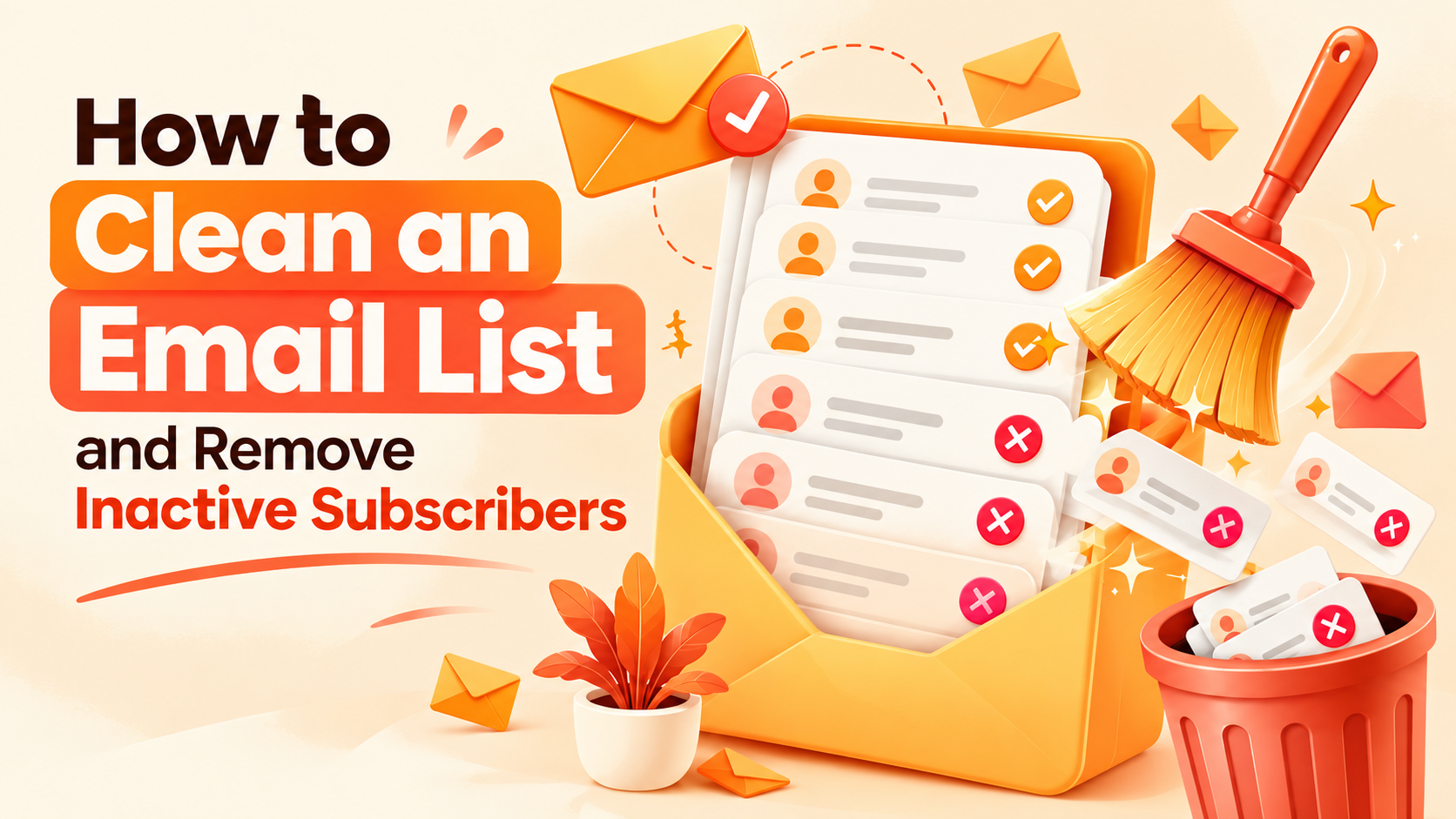
Imagine spending hours creating a helpful newsletter, designing an attractive email, and writing a subject line that deserves attention. You hit send, expecting readers to open your message, click your links, and take action. But the results are disappointing. Open rates are falling, clicks are limited, and some emails never reach the inbox.
What went wrong?
Sometimes, the problem isn’t your content. It may be the condition of your email list.
Over time, email lists collect outdated addresses, abandoned inboxes, duplicate contacts, invalid email addresses, and subscribers who no longer care about your messages. These contacts can make your marketing reports confusing and increase the risk of delivery problems.
That is why learning how to clean an email list is an important part of email marketing. It helps you understand who is still interested, identify addresses that need attention, and focus your efforts on people who actually want to hear from you.
Whether you run a small blog, an online store, a coaching business, or a digital marketing campaign, a healthy email list can make your communication more relevant and manageable. Learning how to clean an email list also helps businesses maintain better subscriber relationships as their audiences grow.
For marketers who use lead-generation campaigns to attract new prospects, including those exploring traffic solutions through Optinsoload, list hygiene deserves attention from the beginning. Getting new visitors is only one part of the process. Collecting permission, verifying addresses, delivering useful emails, and maintaining subscriber engagement are equally important.
The good news? You don’t need complicated technical knowledge to get started. With a sensible process, the right tools, and consistent habits, you can maintain a cleaner list without removing genuine subscribers unnecessarily.
Let’s walk through everything you need to know. This guide explains how to clean an email list step by step, from identifying invalid addresses to managing inactive subscribers.
Key Takeaways
- Remove invalid addresses promptly: Hard bounces and clearly unusable addresses should not remain on your active mailing list.
- Define inactivity carefully: A subscriber who hasn’t opened an email may still be interested, so consider clicks and other meaningful actions.
- Verify addresses before sending: Email verification helps identify potential delivery problems, but it cannot guarantee inbox placement or permission.
- Give subscribers a chance to return: A respectful re-engagement campaign can help you identify people who still want your emails.
- Maintain your list regularly: A simple monthly or quarterly review can prevent small problems from becoming bigger ones.
Ready to Grow Your Email Audience?
Attract relevant visitors, grow your subscriber base, and strengthen your email marketing foundation. Explore Optinsoload’s traffic solutions and find a plan matching your marketing goals.
What Does Cleaning an Email List Mean?
Email list cleaning is the process of reviewing your subscriber database, identifying contacts that should not receive regular campaigns, and organizing the remaining subscribers into useful groups. Knowing how to clean an email list means reviewing contact quality and subscriber status before deciding which records need attention.
It is not simply about deleting people who haven’t opened your latest newsletter. Good list maintenance considers several factors, including address validity, engagement history, consent, unsubscribe requests, and delivery results.
When you understand how to clean an email list properly, you can make better decisions about which contacts to retain, which to investigate, and which to suppress from future campaigns. A clear process for how to clean an email list helps you make these decisions consistently and avoid unnecessary deletions. Understanding how to clean an email list helps you maintain accurate subscriber data and build a healthier email marketing audience over time.
What Should You Look for During Email List Cleaning?
A typical review includes the following contact categories:
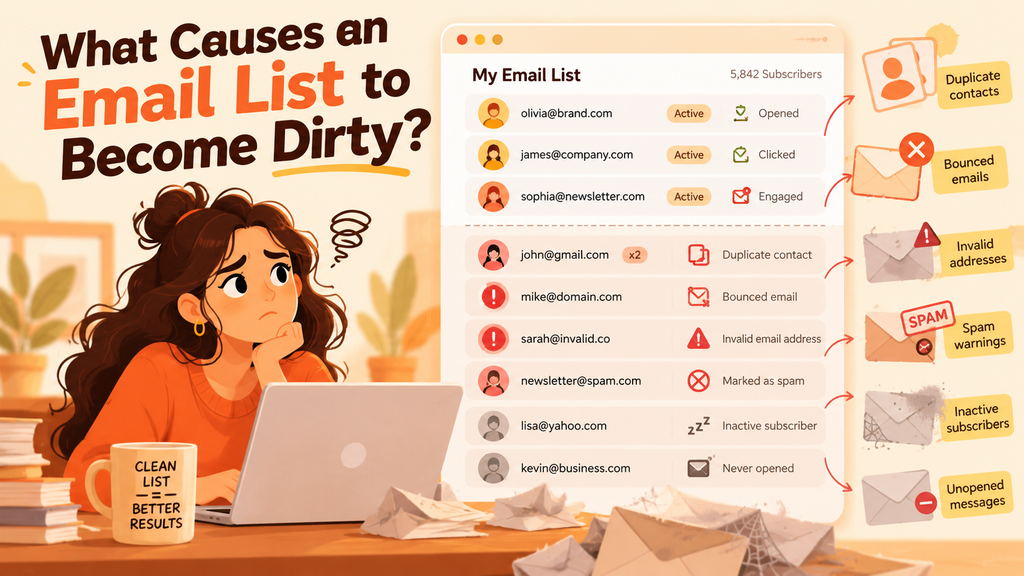
- Invalid addresses: Email addresses that cannot receive messages, often identified through hard bounces or verification checks.
- Inactive subscribers: Contacts who have shown little or no meaningful engagement over a defined period.
- Duplicate contacts: Multiple records belonging to the same person, which can lead to repeated messages and inaccurate reporting.
- Unsubscribed contacts: People who have opted out and must be excluded from marketing sends.
- Spam complainers: Recipients who have reported your messages as spam.
- Risky or unconfirmed contacts: Addresses with uncertain validity, unclear permission, or other warning signs.
- Engaged subscribers: People who continue to click links, reply, purchase, or otherwise interact with your communications.
These groups require different actions. Invalid addresses generally need suppression, while inactive subscribers may deserve a carefully planned re-engagement attempt.
The objective of cleaning an email list is not to achieve the smallest possible database. It is to maintain a relevant, permission-based audience that supports your business goals.
Why Is Cleaning Your Email List Important?
A large subscriber count may look impressive, but it doesn’t automatically mean your email marketing is successful. What matters is whether your messages reach the right people and generate meaningful responses.
Here are the main reasons to make list hygiene part of your marketing routine.
1. It Helps Reduce Avoidable Delivery Problems
When you repeatedly send messages to invalid addresses, you generate unnecessary bounces. A high number of delivery failures can signal poor list management to email service providers.
Learning how to clean an email list helps you identify these addresses and stop sending to them. It is one part of a broader deliverability strategy that also includes proper authentication, relevant content, and responsible sending practices.
2. It Makes Your Marketing Reports More Useful
Suppose you have 10,000 subscribers, but only a small proportion click your links. That result might indicate a problem with your content, your audience targeting, your sending frequency, or your list quality.
Removing clearly invalid contacts and separating inactive subscribers gives you a more meaningful picture of audience behavior. However, don’t assume that every low-engagement result means the same thing. Campaign type, email frequency, and subscriber expectations all influence engagement.
3. It Can Reduce Unnecessary Costs
Some email marketing platforms charge according to subscriber count, sending volume, or a combination of factors. Keeping invalid or unwanted contacts in your active audience may increase your costs without providing additional value.
Review your provider’s billing rules before making changes. Suppressing contacts may not reduce your bill on every platform, particularly if suppressed contacts still count toward your plan. When you know how to clean an email list, you can review which contacts remain useful while checking how your platform calculates subscriber costs.
4. It Helps Protect Your Sender Reputation
Your sender reputation is influenced by several factors, including complaints, bounce patterns, authentication, and recipient engagement. There is no single list-cleaning action that guarantees a strong reputation.
Still, removing invalid addresses, honoring opt-outs, and sending relevant emails to people who have chosen to receive them are sensible practices. Learning how to clean an email list supports responsible sending when combined with authentication, relevant content, and proper unsubscribe handling.
Google’s email sender guidelines explain the importance of authentication, low spam complaint rates, and responsible sending. Yahoo also recommends removing invalid recipients and monitoring inactive contacts in its sender best practices.
5. It Helps You Understand Your Audience Better
A well-maintained list makes it easier to identify the subscribers who respond to particular topics, offers, and email formats.
For example, a reader may ignore promotional messages but regularly click educational newsletters. Instead of treating that person as completely inactive, you can adjust the content they receive.
That is a major benefit of understanding how to clean an email list: you can make more informed decisions rather than relying on subscriber numbers alone. A repeatable approach to how to clean an email list can help you identify audience preferences and make more informed campaign decisions.
What Causes an Email List to Become Dirty?
Before you start cleaning, it helps to understand how these problems develop. Regularly reviewing these changes is an important part of learning how to clean an email list and keep your subscriber database up to date.
Old and Abandoned Email Addresses
People change jobs, switch email providers, abandon old inboxes, or stop using secondary addresses. A contact that was valid two years ago may no longer be deliverable today. Part of learning how to clean an email list is identifying these outdated addresses before they create repeated delivery problems.
Poor Sign-Up Practices
Forms without adequate validation may collect misspelled addresses. For example, someone might enter gmal.com instead of gmail.com.
A typo is not necessarily evidence of a bad subscriber. If you can correct the problem through a legitimate, user-confirmed process, you may be able to preserve the contact. When learning how to clean an email list, distinguish correctable mistakes from addresses that cannot be verified or delivered.
Purchased or Unverified Contact Lists
A purchased list may contain outdated addresses, people who never consented to hear from your business, or contacts with no genuine interest in your offer.
Verification cannot turn a contact without permission into a legitimate subscriber. Avoid sending marketing emails to purchased lists simply because a checking tool labels their addresses as valid.
Understanding how to clean an email list also means checking permission; verification alone does not make a purchased contact list suitable for marketing.
Inconsistent Sending Frequency
If subscribers hear from you once every six months, they may forget signing up. When a campaign suddenly appears in their inbox, they might ignore it or report it as spam.
A predictable sending schedule helps people recognize your brand and understand what they signed up to receive.
Missing or Weak Engagement Segmentation
Sending every campaign to every subscriber ignores differences in interest. People who joined yesterday may need a welcome series, while long-term readers may prefer more advanced content.
Good segmentation helps you identify these differences and makes list maintenance more effective.
How to Clean an Email List: A Step-by-Step Process
Now let’s get practical. If you want to understand how to clean an email list without accidentally removing valuable contacts, follow these steps in order.
Step 1: Back Up Your Existing Subscriber Data
Before deleting or changing anything, export your contact database and save a secure copy.
Include relevant information such as:
- Email address and subscriber ID.
- Sign-up date and source.
- Consent or subscription status.
- Recent clicks, purchases, and other engagement events.
- Bounce and complaint history.
- Unsubscribe and suppression status.
Store this information securely and restrict access to people who need it. Avoid keeping personal data longer than necessary under your applicable privacy requirements.
The backup allows you to review mistakes and preserve a record of why particular contacts were excluded. Before deciding how to clean an email list, make sure your backup preserves the consent and suppression information needed for accurate decisions.
Step 2: Identify Invalid and Undeliverable Addresses
Start with addresses that have already failed delivery.
A hard bounce usually means the message cannot be delivered because of a permanent problem, such as a nonexistent recipient address. Temporary server problems, full mailboxes, or other transient conditions may produce soft bounces.
Suppress confirmed hard bounces promptly. For repeated soft bounces, follow your email provider’s documented policy and investigate the pattern before deciding what to do.
This is a central part of how to clean an email list because there is little value in repeatedly sending marketing emails to an address that cannot receive them.
Do not confuse an isolated temporary delivery issue with a permanently invalid contact. This is an essential part of how to clean an email list because confirmed hard bounces should not continue receiving routine marketing emails.
Step 3: Remove Duplicates Carefully
Duplicates occur when someone signs up through different forms, downloads several resources, or enters their address more than once.
For example, a person might appear in your database twice: once after downloading a guide and again after registering for a webinar.
Use a consistent identifier, usually the normalized email address, to locate potential duplicates. Before merging records, check whether they contain different subscription preferences, consent records, or transaction histories.
Preserve the most complete and accurate record. Never let duplicate removal override an unsubscribe request or turn a previously suppressed address back into an active subscriber. A careful method for how to clean an email list preserves useful subscriber history while preventing duplicate records from causing confusion.
Step 4: Segment Subscribers by Engagement
Next, organize your audience into groups based on actual behavior.
You might create these segments:
- Recently engaged: Subscribers who clicked a link, replied, or completed a meaningful action in the past 30–90 days.
- Occasionally engaged: People who interact less frequently but have demonstrated genuine interest.
- Potentially inactive: Subscribers with no meaningful activity over a longer period, such as three to six months.
- Long-term inactive: Contacts who have not engaged for six to twelve months or longer.
- Suppressed contacts: Unsubscribed addresses, spam complainers, and confirmed undeliverable contacts.
These timeframes are examples, not universal rules. Adjust them to your sending frequency and business model. A daily newsletter and a quarterly industry update require different expectations.
If you’re learning how to clean an email list for the first time, start with a simple segmentation model instead of creating dozens of complicated groups. If you are deciding how to clean an email list for a growing business, engagement segments can help you prioritize contacts that need review.
Step 5: Use More Than Open Rates to Measure Engagement
Open rates can be misleading because privacy features and automated image loading may record opens that don’t reflect a person’s actual attention. Conversely, someone may read an email without generating a reliable open event.
Consider stronger signals where available, including:
- Link clicks, after accounting for automated security scanners.
- Replies to your emails.
- Recent purchases or account activity.
- Webinar attendance or resource downloads.
- Visits to relevant pages, where tracking is lawful and properly disclosed.
- Direct confirmation that the subscriber wants to stay on your list.
A subscriber who has not opened an email but recently purchased from you may still be valuable. Look at the broader relationship before classifying someone as inactive. An important principle in how to clean an email list is to consider multiple engagement signals instead of relying on opens alone.
insta
Step 6: Send a Re-Engagement Campaign
Before removing potentially inactive subscribers, consider giving eligible contacts a final opportunity to remain subscribed.
A simple re-engagement email might say:
Subject: Would you still like to hear from us?
Hi there,
It’s been a while since you’ve interacted with our emails, and we want to make sure we’re sending you information you actually find useful.
Would you like to continue receiving our updates?
If yes, click the button below to confirm your interest. You can also update your preferences or unsubscribe at any time.
Thanks for being part of our community!
[Confirm my subscription]
Keep the message friendly, honest, and easy to understand. Avoid guilt-based language, fake urgency, or misleading subject lines.
Send this campaign only to contacts you are permitted to email. Do not use it to revive addresses that have unsubscribed, complained, or hard-bounced. Including re-engagement in how to clean an email list gives eligible subscribers an opportunity to confirm that they still want your messages.
Step 7: Set a Clear Rule for Inactive Subscribers
Decide what happens after the re-engagement period ends.
For example, you could send one or two re-engagement messages over a few weeks. If a subscriber takes no meaningful action, you may move them out of regular promotional campaigns and suppress them from future marketing sends.
Choose a timeframe appropriate to your business. A short promotional cycle may justify a shorter inactivity window, while a specialist B2B newsletter might need a longer one.
The important thing is consistency. Learning how to clean an email list becomes much easier when you have documented rules instead of making decisions campaign by campaign. A documented policy makes how to clean an email list easier to repeat without making inconsistent decisions about inactive contacts.
Step 8: Check Your Email Authentication and Sending Practices
List cleaning alone cannot solve every delivery problem.
Check whether your sending domain has the appropriate SPF, DKIM, and DMARC configuration. Your email service provider or domain administrator can help you confirm the setup.
Also review your sending frequency, complaint rate, bounce rate, unsubscribe process, and message relevance.
Google requires SPF or DKIM for senders and additional authentication requirements for bulk senders. Bulk marketing messages sent to personal Gmail accounts must also meet applicable one-click unsubscribe requirements. Review the current Google sender guidelines for the full details.
Yahoo has its own requirements and recommendations, including authentication, complaint management, and easy unsubscribe options. See its sender best practices.
These checks work alongside list hygiene; neither replaces the other.
Step 9: Suppress Contacts and Keep an Audit Trail
Once you’ve identified contacts that should no longer receive regular campaigns, use your email platform’s suppression or exclusion features.
Maintain an appropriate record of the reason for suppression, such as an unsubscribe request, hard bounce, or completed inactivity policy. Keep only the information necessary for compliance and operational purposes.
This step matters because deleting a record entirely may allow the same address to be imported again later and accidentally receive another message.
Step 10: Measure the Results
After your cleanup, compare the next few campaigns with previous campaigns.
Track:
- Hard-bounce rate.
- Spam complaint rate.
- Click-through rate.
- Conversion rate.
- Unsubscribe rate.
- Revenue or qualified leads generated.
- Inbox placement indicators, where available.
Don’t judge success using open rates alone. Nor should you assume that a higher click rate automatically proves that cleaning caused the improvement. Content, seasonality, audience selection, and other factors can affect performance.
A thoughtful process for how to clean an email list should produce a more manageable audience and clearer reporting over time. When planning how to clean an email list, use verification results alongside consent records, engagement data, and suppression history.
Looking for Your Next Traffic Source?
Ready to explore new traffic opportunities? Visit Optinsoload to review available solo-ad plans, compare options, and choose a solution that aligns with your campaign goals.
How to Clean and Verify an Email List
Email cleaning and email verification are related, but they are not the same thing.
Email verification checks whether an address appears technically deliverable. Depending on the service, checks may include syntax, domain records, mail-server responses, disposable-address detection, and other risk signals.
Email list cleaning is broader. It includes verification as well as removing duplicates, reviewing engagement, handling unsubscribes, suppressing bounces, and maintaining consent records. When you understand how to clean an email list, you can use verification results alongside engagement data to make more informed decisions about which contacts to keep.
Here is a practical workflow for how to clean and verify an email list:
- Export your contacts from your email platform.
- Remove duplicates and correct obvious formatting problems.
- Check subscription permissions and suppression records.
- Run eligible addresses through a reputable verification service.
- Review results such as valid, invalid, risky, unknown, and disposable.
- Suppress confirmed invalid addresses.
- Investigate uncertain results instead of automatically deleting them.
- Reconcile the cleaned data with your original records.
- Upload the revised audience and test your segmentation.
- Monitor bounce and complaint rates after sending.
A verification result is not a guarantee that an email will reach the inbox. The broader process of how to clean an email list should therefore address both technical deliverability and the subscriber’s permission to receive emails. A technically valid address may belong to someone who never consented to receive your messages, and a valid address can still reject a particular email.
Also, verification services cannot reliably identify every spam trap or guarantee that a contact is safe to mail. Permission and responsible sending remain essential.
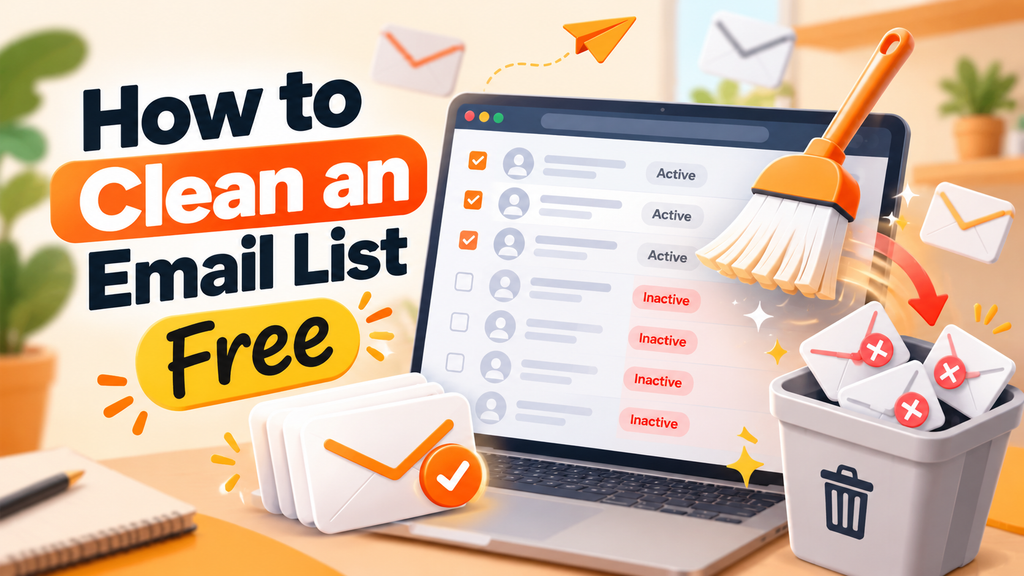
How to Clean an Email List Free
You do not always need a paid subscription to start improving your database. If you have a small list, you can handle many routine tasks with your existing email marketing platform and a spreadsheet. For smaller businesses, learning how to clean an email list for free can be a practical first step before investing in specialist tools.
Here is how to clean an email list free using a straightforward process.
1. Export Your Contacts
Download your subscriber list from your email provider. Keep a backup before editing anything.
2. Use Spreadsheet Filters
Tools such as Google Sheets or Microsoft Excel can help you find duplicate email addresses, missing fields, inconsistent formatting, and suspicious entries.
You can use built-in duplicate detection and filters rather than manually reviewing every row.
For example, standardize capitalization and remove unnecessary spaces before comparing addresses. Avoid changing the underlying address in ways that could create an incorrect contact.
3. Review Your Existing Campaign Reports
Your current platform may already show hard bounces, unsubscribes, complaints, and engagement activity. Use these reports before paying for a separate service.
Check how your provider handles suppression and billing so you understand what deleting or archiving a contact actually changes.
4. Try a Free Verification Allowance
Some verification providers offer limited free checks or trial credits. Review the current limits, data-handling policies, and terms before uploading your contacts.
A free email list cleaner can be useful for a small batch, but free plans may restrict the number of addresses you can check or the detail of the results.
Never assume that a free tool is safe simply because it is free. Choose a reputable provider, protect your subscriber data, and avoid services that make unrealistic deliverability guarantees.
5. Build a Re-Engagement Segment
Create a segment of eligible subscribers who have not shown meaningful engagement for your chosen period. Send a respectful confirmation message and suppress those who remain inactive according to your policy.
This approach can help you understand how to clean an email list free without buying software immediately.
However, free tools do not remove the need to follow consent rules, honor opt-outs, or configure your sending domain correctly.
How to Choose Email List Cleaning Services
If your database contains thousands of contacts or requires frequent maintenance, dedicated email list cleaning services may save time.
Before selecting one, look for these features.
Accuracy and Transparent Results
A useful service explains what its verification categories mean. It should distinguish invalid addresses from risky or unknown results rather than treating every uncertain contact as safe.
Privacy and Data Security
Your subscriber list contains personal information. Review how a provider stores, processes, transfers, and deletes uploaded data. Check its privacy policy, security practices, and contractual terms.
Integration With Your Email Platform
Integrations can reduce manual exports and imports. However, confirm how the integration handles unsubscribes, suppression records, duplicates, and consent information before enabling automatic changes.
Clear Pricing
Compare the number of addresses checked, any recurring fees, usage limits, and additional charges. A free trial may be enough for a one-time project, while a larger business may benefit from a recurring plan.
No Unrealistic Promises
Be cautious of services promising guaranteed inbox placement, perfect accuracy, or the complete removal of spam traps. No ordinary verification service can guarantee these outcomes.
The best email list cleaning services should help you make better decisions, not encourage you to email contacts without permission.
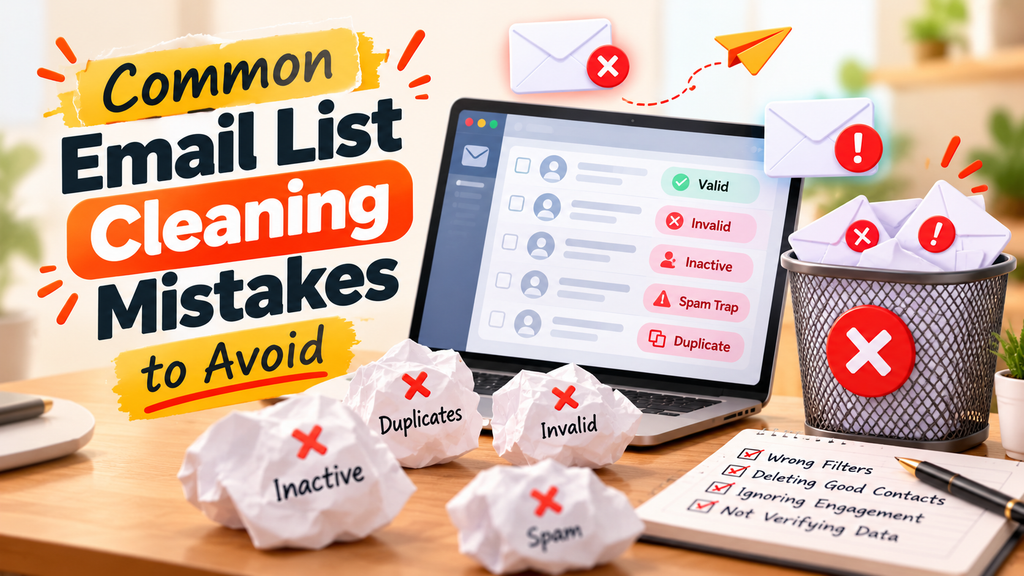
Common Email List Cleaning Mistakes to Avoid
Even well-intentioned marketers can damage their results by cleaning too aggressively or ignoring important safeguards.
Deleting Everyone Who Hasn’t Opened an Email
An open is an imperfect engagement signal. Before removing a subscriber, review clicks, replies, purchases, and other meaningful activity.
Repeatedly Emailing Invalid Addresses
Once an address has generated a confirmed hard bounce, continuing to send marketing campaigns to it creates avoidable delivery problems.
Buying a List and Running It Through a Verifier
Verification does not establish consent. A purchased list can still contain people who have not agreed to receive your marketing, and using it can generate complaints and damage your sender reputation.
Ignoring Unsubscribe Requests
An unsubscribe request must be honored according to applicable law and platform requirements. Do not re-add someone simply because they submit another form unless you have a valid, documented basis for doing so and follow the applicable rules.
Cleaning Too Infrequently
Waiting years between reviews allows invalid addresses, duplicates, and outdated records to accumulate. Establish a schedule based on list size, sending frequency, and bounce patterns.
Removing Contacts Without a Backup
An accidental deletion can remove valuable history or legitimate subscribers. Export a backup and test your process on a small segment before making large changes.
How Often Should You Clean Your Email List?
There is no single schedule that suits every business. The ideal frequency depends on how quickly your audience grows, how often you send campaigns, and how many delivery issues you encounter.
For a practical starting point, consider this routine:
- After each campaign: Review hard bounces, complaints, and unsubscribe requests.
- Monthly: Check duplicates, engagement trends, and any unusual increase in delivery failures.
- Every three months: Review inactive segments and your re-engagement policy.
- Before a major campaign: Check the quality and permission status of newly collected contacts.
- After importing contacts: Validate the source, consent records, suppression status, and address quality before sending.
If your list grows rapidly, you may need more frequent checks. If you send only occasional newsletters, a less frequent engagement review may be appropriate.
The key is to establish a repeatable process rather than treating list cleaning as a one-time emergency. Knowing how to clean an email list regularly helps you address delivery issues and subscriber changes before they accumulate.
How Optinsoload Fits Into a Healthier Email Marketing Strategy
Building an email list often begins with attracting the right visitors to a landing page, offering something relevant, and inviting interested people to subscribe.
Optinsoload focuses on solo-ad traffic and visitor acquisition for marketers. Its website describes traffic packages, targeting options, campaign support, and funnel-related guidance. These services relate to the acquisition side of marketing: bringing visitors to an offer or lead-capture page.

But acquiring visitors and maintaining a healthy subscriber list are two different jobs.
If you use any traffic source to grow your audience, make sure your landing page explains what subscribers will receive. Collect only the information you need, use a clear consent process, and send a welcome email that matches the promise made on the page.
Then apply the same good practices to every new contact:
- Confirm that the person has knowingly subscribed.
- Record the source and relevant consent details.
- Send useful, expected emails at a reasonable frequency.
- Monitor engagement and delivery outcomes.
- Remove or suppress contacts when required.
This is where understanding how to clean an email list becomes especially useful for marketers running lead-generation campaigns. More sign-ups are not automatically better if those contacts are uninterested, invalid, or collected without appropriate permission.
Optinsoload can be considered as one option for exploring traffic acquisition, while your email platform, consent process, and list hygiene practices handle the ongoing subscriber relationship. Evaluate any traffic source based on its fit with your audience, your campaign tracking, and your actual results rather than assuming that traffic volume alone guarantees conversions.
A sustainable email marketing strategy connects acquisition, permission, relevant follow-up, and ongoing maintenance. Each part has a role to play.
Turn More Traffic Into Marketing Opportunities
Discover solo-ad traffic solutions that can bring visitors to your offers and support lead generation. Explore Optinsoload’s plans and take your next marketing step.
Conclusion: A Healthier Email List Starts With Better Habits
Your email list is more than a collection of addresses. It represents people who have shown interest in your business, content, or offers. Maintaining that relationship requires more than sending regular campaigns. You also need to keep your data accurate, respect subscriber preferences, and pay attention to how people interact with your messages.
Learning how to clean an email list gives you a practical way to identify invalid addresses, handle inactive subscribers, remove duplicates, and improve your email marketing process. Start by reviewing your existing reports, suppressing confirmed hard bounces, and separating genuinely inactive contacts from people who may still be interested.
You don’t need to purchase an expensive tool immediately. Existing email platform reports and spreadsheet filters can help with basic cleaning, while verification tools and professional email list cleaning services may be useful as your audience grows.
Remember that cleaning alone cannot guarantee better inbox placement. Your results also depend on permission, email authentication, content relevance, sending practices, and recipient feedback.
If you’re building your audience through lead-generation campaigns, including traffic solutions offered by Optinsoload, think about the entire subscriber journey. Attract relevant visitors, set clear expectations on your opt-in page, follow up with useful content, and review your list regularly.
The goal isn’t simply to have fewer subscribers. It’s to maintain an audience that genuinely wants to hear from you. Start with one small review today, establish a routine, and let the quality of your subscriber relationships guide your next steps.
FAQs
1. How to clean an email list quickly?
Start by exporting your contacts and backing up the original data. Remove confirmed hard-bounce addresses, identify duplicates, check unsubscribe and spam-complaint records, and segment subscribers according to recent engagement. Review uncertain addresses before taking action, and avoid deleting people solely because they haven’t opened a recent campaign. A quick review is useful, but a complete process should also include consent checks and a plan for inactive subscribers.
2. How often should I clean my email list?
Review hard bounces, spam complaints, and unsubscribe requests after every campaign. Check duplicates and engagement trends monthly, and review long-term inactive subscribers every few months. If your list grows quickly or you send frequent campaigns, you may need more regular checks. The best schedule depends on your sending frequency, audience size, and delivery results.
3. How to clean an email list free without buying software?
You can begin with your email platform’s reporting features and a spreadsheet. Export your contacts, find duplicate addresses, review engagement data, and suppress confirmed invalid or unsubscribed contacts. You can also look for verification services offering limited free checks. When learning how to clean an email list free, remember that a free tool may have usage limits and cannot guarantee deliverability or subscriber consent.
4. What is a free email list cleaner?
A free email list cleaner is a tool that offers some form of email address checking or database cleanup without an upfront payment. Depending on the provider, it may identify malformed addresses, duplicates, invalid domains, disposable addresses, or other risk signals. Free plans often have limits on the number of checks or available features. Review the provider’s privacy policy and results carefully before uploading subscriber information.
5. Can I remove inactive subscribers without hurting my email marketing?
Yes, if you use a thoughtful process. First, define inactivity based on your sending frequency and consider clicks, replies, purchases, and other meaningful actions. You can then send an appropriate re-engagement message to eligible subscribers. If they remain inactive, suppressing them from regular campaigns may be sensible. However, avoid automatically removing every contact with a low open rate, since opens are not always a reliable measure of interest.
6. How to clean and verify an email list at the same time?
Export your contacts, remove duplicates, review consent and suppression records, and submit eligible addresses to a reputable verification service. Examine the results, suppress confirmed invalid addresses, and investigate risky or unknown addresses individually. This approach combines technical address checks with broader list hygiene. Remember that verification does not prove permission to send marketing emails or guarantee that messages will reach the inbox.
7. Are email list cleaning services worth paying for?
They can be useful when your database is large, your team imports contacts frequently, or manual checks take too much time. Before choosing a provider, compare verification features, pricing, privacy safeguards, integration options, and the clarity of its results. Smaller businesses may be able to manage routine cleaning with their existing email platform and spreadsheets. The right choice depends on your needs rather than list size alone.
8. Does cleaning an email list improve deliverability?
Cleaning can help reduce avoidable hard bounces and prevent marketing messages from being sent to contacts who should no longer receive them. These are important parts of responsible email sending. However, deliverability also depends on authentication, complaint rates, sending patterns, content, and recipient behavior. No cleaning process can guarantee inbox placement, so monitor several performance indicators after making changes.
9. Should I delete inactive subscribers or keep them?
It depends on their history and your communication frequency. A subscriber who hasn’t opened a daily newsletter for three months may require a different approach from someone who receives a monthly industry report. Consider recent clicks, purchases, replies, and other relevant activity. You can send a re-engagement campaign to eligible contacts before suppressing those who remain inactive. Retain necessary suppression records so unsubscribed or invalid addresses are not accidentally reactivated.
10. Can Optinsoload help me build a better email list?
Optinsoload focuses on solo-ad traffic and visitor acquisition for marketers. Its website provides information about traffic packages and campaign-related support. Such services may help you explore ways to bring visitors to a landing page, but traffic acquisition is different from email list cleaning. To build a healthier subscriber audience, make sure your opt-in process is clear, obtain appropriate permission, explain what subscribers will receive, and monitor the quality of new contacts. Combine suitable traffic acquisition with good email practices, relevant follow-up, and regular list maintenance.